If you’re staring at a blank page and willing a screenplay into existence through sheer force of character, let me stop you right there. You probably just need to format it properly.
Screenplay format is the language of the industry even if it feels like creative bureaucracy. Margins, spacing, dialogue placement, scene headings all exist so your reader can understand pacing, budget implications, and screen time at a glance. When formatting is wrong, it distracts. When it’s right, it disappears.
That’s where screenplay templates come in. For many writers, free screenplay templates are the first rung on the ladder. They’re accessible, unintimidating, and crucially don’t require committing to professional software on day one. Google Docs, Word, and PDFs are often the starting point before people graduate to proper screenwriting tools.
In today’s blog, we’ll round up the best free screenplay templates for 2026, explain when templates are genuinely useful, where they fall apart, and why eventually you’ll want to stop fighting formatting gremlins and just use Celtx.
Let’s begin!
Table of Contents
- Why Use a Screenplay Template Instead of a Blank Page?
- Top 3 Google Docs Screenplay Templates (Free Download)
- 3 Professional Microsoft Word Screenplay Templates
- The Limits of Manual Templates: Margin Errors and Page Count Issues
- Transitioning from Templates to Professional Software (Celtx)
- FAQs about Screenplay Templates
- Conclusion

Why Use a Screenplay Template Instead of a Blank Page?
There’s a romantic idea that “real” writers open a blank document and let the story arrive fully formed. In reality, most professionals are deeply allergic to blank pages.
A screenplay template gives you:
- Correct margins for dialogue, action, and scene headings
- Proper spacing that reflects screen time
- Industry-standard font (always Courier, always 12-point)
- A clear visual structure that keeps you moving forward
More importantly, templates remove friction. Instead of stopping every five minutes to wonder “Is this dialogue too far left?”, you focus on just being creative.
Templates also teach format passively. Over time, you start to absorb where things go and why, which makes transitioning to professional software infinitely easier.
But remember, templates are a temporary solution. All screenplay templates aim to replicate the same underlying format, but they behave very differently depending on where they live.
Google Docs and Word templates rely on styles and manual shortcuts. PDFs are fixed and printable but not inherently “smart.” None of them understand what a screenplay is and only understand how it should look. That difference becomes important later.
For now, here are the most usable free screenplay templates available across platforms.
Top 3 Google Docs Screenplay Templates (Free Download)
Google Docs is often the first place writers land. It’s free, browser-based, and doesn’t require learning new software before you’ve even written FADE IN.
The problem is that Google Docs was never designed for screenwriting, so the best templates are the ones that work with its limitations instead of pretending they don’t exist.
Here are three of the most reliable free options available right now.
1. John Haller’s Google Docs Screenplay Template
John Haller’s screenplay template has been floating around the internet for years and there’s a reason it’s endured.
It’s clean and grounded in proper screenplay formatting without trying to do anything clever.
What it does well:
- Correct industry-standard margins
- Pre-set styles for action, dialogue, parentheticals, and scene headings
- A simple title page layout
- Minimal chances to accidentally over-format
What it doesn’t do:
- Auto-switch elements as you type
- Protect you from spacing mistakes
- Keep page count perfectly accurate
This template is ideal if you want to understand what screenplay formatting looks like and are happy to handle the mechanics yourself. It’s basically the “manual transmission” version of screenplay writing.
Educational? Yes. Foolproof? Absolutely not.
2. YouMeScript (Google Docs Add-On)
YouMeScript tries to solve Google Docs’ biggest weakness by turning it into something closer to screenwriting software without actually being screenwriting software.
Installed as a Chrome extension, it adds screenplay-aware tools directly into Google Docs, letting you switch between action, dialogue, and headings more easily.
Why people like it:
- Faster element switching than raw templates
- Less manual margin fiddling
- Familiar Google Docs environment
Why it still falls short:
- Formatting can desync if documents get complex
- Page counts are still unreliable for serious drafts
- You’re dependent on a browser extension staying supported
YouMeScript is best viewed as a bridge: better than a static template, but still ultimately limited by the platform it’s built on.
3. Arc Studio Pro’s Google Docs Screenplay Template
Arc Studio Pro offers a free screenplay template for Google Docs alongside its professional software, and it shows.
This template is thoughtfully constructed, visually clear, and closer to true industry format than most casual options floating around.
Its strengths:
- Accurate formatting foundations
- Clear separation between screenplay elements
- Easy transition if you later move to Arc Studio Pro or other professional software
The catch? It’s still a template. You’ll still need to:
- Manually manage spacing
- Watch for creeping margin drift
- Double-check page length
Arc’s template is solid, but it also quietly demonstrates the ceiling of Google Docs. Even the best-designed template can’t fix a tool that doesn’t understand screenplays natively.
Conclusion: Google Docs Screenplay Templates
Okay, so all three of these options work. Some work very well for a while. But every Google Docs screenplay template shares the same underlying issue: Google Docs treats your screenplay like a regular document.
They’re excellent for learning, experimenting, and drafting short projects. They’re less reliable once you’re rewriting, collaborating, or sending scripts into the world.
Ditch the manual margins. Start your first script in Celtx for free.

3 Professional Microsoft Word Screenplay Templates
Microsoft Word sits in a strange middle ground for screenwriters. On one hand, it’s more robust than Google Docs. Margins behave better, page breaks are more predictable, and documents are less likely to implode just because you pasted something in from another tab.
On the other hand, Word still doesn’t understand screenplays. It’s a powerful word processor pretending to be a screenwriting tool and that distinction matters more the longer your script gets.
That said, if Word is your preferred environment (or your only option), these are the strongest free templates available right now.
1. StudioBinder’s Microsoft Word Screenplay Template
StudioBinder’s Word screenplay template is one of the most widely recommended, and for good reason. It’s clear, well-labelled, and built with actual production awareness behind it.
What works well:
- Proper screenplay margins and spacing
- Clearly defined styles for action, dialogue, parentheticals, and transitions
- Title page formatting included
- Easy to follow if you’re new to screenplay structure
StudioBinder also explains why formatting matters, not just how to apply it. That context helps writers avoid common mistakes like overlong action blocks or cramped dialogue.
The limitation is still Word itself. You’ll be responsible for:
- Applying the correct style every time
- Fixing spacing that drifts during revisions
- Watching page count carefully
It’s a strong, professional-looking template, just not a system that protects you from yourself.
2. WordLayouts Screenplay Template
WordLayouts offers a straightforward, no‑frills screenplay template that prioritises simplicity over polish.
This one is best suited to writers who want:
- A clean starting point
- Minimal distractions
- Absolute clarity about where text goes
There’s nothing fancy happening here and that’s kind of the appeal.
However, because the template is so barebones, it provides very little structural guidance. There’s no automation, no shortcuts, and no guardrails once you start revising heavily.
Think of this template as:
- Solid for short scripts
- Fine for educational use
- Increasingly risky as page count grows
It will not stop formatting creep — it will just sit quietly while it happens.
3. Aveek’s Professional Word Screenplay Template
Aveek’s Word template is the most ambitious of the bunch. Designed by someone who clearly understands professional formatting inside out, this one pushes Word about as far as it can go.
Why writers like it:
- Detailed paragraph styles and spacing controls
- More consistent behaviour across long documents
- Better alignment with industry formatting expectations
This template is closer to a “screenwriting workaround” than a simple starting file. If you’re disciplined, careful, and revision‑savvy, it can hold up surprisingly well over a full draft.
But that discipline is the catch because every rewrite still depends on:
- You choosing the correct style
- You noticing small spacing errors
- You manually maintaining consistent formatting
In other words, the template works as long as you work around its limitations constantly.
Compared to Google Docs, Word is steadier. Compared to actual screenwriting software, it’s still doing the job with the wrong tools.
All Word screenplay templates share the same core issues:
- Formatting remains manual
- Page counts can drift with revisions
- The document doesn’t “know” what a scene or line of dialogue is
They’re perfectly fine for early drafts, classroom use, or writers easing into screenwriting format. Many people write entire scripts this way.
The Limits of Manual Templates: Margin Errors and Page Count Issues
Here’s the part most template lists gloss over. Screenplays aren’t formatted nicely for aesthetic reasons. Every formatting choice is tied to timing, budget, and production reality.
Roughly speaking, one page equals one minute of screen time but that only works if formatting is exact.
Manual templates introduce problems like:
- Dialogue creeping onto additional lines
- Action blocks running long
- Scene breaks shifting page counts
- Page numbers becoming unreliable
These errors compound invisibly. You think you’ve written a tight 90-page script until someone opens it in professional software and it suddenly becomes 97.
That’s not just annoying. It’s a red flag. Templates also don’t manage:
- Revision tracking
- Scene renumbering
- Production drafts
- Script breakdowns
At a certain point, you’re doing twice the work to avoid using the right tool.
Transitioning from Templates to Professional Software (Celtx)
This is the moment most writers hit around draft two or three. You’re no longer learning what a screenplay looks like. You’re trying to write one efficiently, revise it sanely, and maybe even share it with collaborators.
That’s where professional software stops being “extra” and starts being obvious, especially software like Celtx.
Scene headings create scenes. Dialogue behaves like dialogue. Page counts stay accurate no matter how many revisions you make.
Instead of fighting margins, you get:
- Automatic formatting
- Reliable page timing
- Seamless collaboration
- Built-in development tools
Celtx is particularly strong for writers who plan to move scripts into production, because it bridges writing, planning, and breakdowns in one ecosystem. It’s a no-brainer!
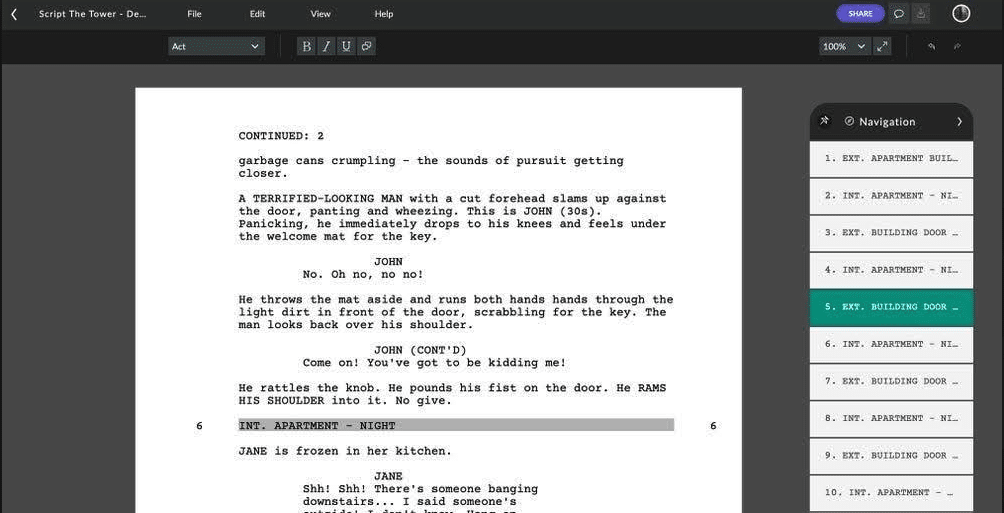
Try Celtx Screenwriting Software for free today
FAQs about Screenplay Templates
Technically, yes if the formatting is flawless. In practice, most template-based scripts show small errors that signal inexperience. Professional software dramatically reduces that risk.
Courier, 12-point. No exceptions. Templates that default to anything else aren’t worth using.
You can. Many people do. You’ll just spend more time formatting than writing and revisions will get messy fast.
Because page count equals time and money. Producers, directors, and readers rely on it being accurate.
The moment formatting becomes something you think about more than story. Or the moment you want to share your script with someone serious.
Conclusion
Free screenplay templates are not bad. They’re useful learning tools. They get you writing instead of overthinking and help demystify industry standards. But, quite frankly, they’re a phase. At some point, you’ll want:
- Formatting that works automatically
- Page counts you can trust
- Tools designed specifically for screenwriting
That’s when the smartest move is to stop patching together workarounds and just use Celtx. Use a template if you must to learn the ropes. Then forget all of that and write in software that actually wants you to succeed.
Download our free Ultimate Screenplay Template Starter Pack to see which free template works for you.
Up Next:
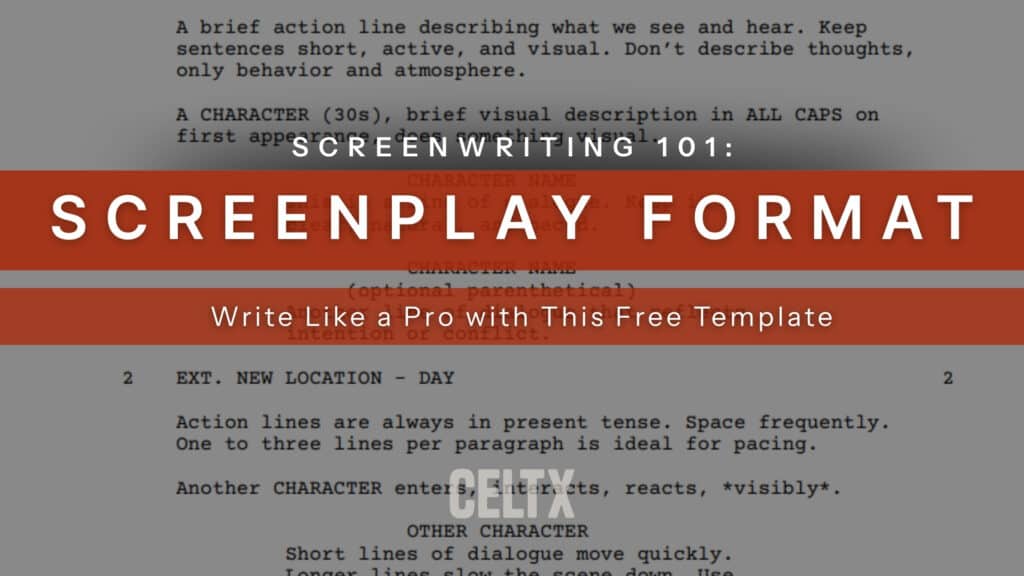
Screenplay Format 101: Write Like a Pro with this Free Template
Static templates are a great start, but professional software is how you finish. Move your ideas into our free Celtx template to master industry-standard formatting automatically and focus entirely on your story.