Every writer has that phase. The “I’ll just open Google Docs and see what happens” phase.
Don’t get me wrong, it’s familiar, comfortable, and low‑pressure. You’re already logged in, the blank page is staring back at you, and the story wants to come out. Why complicate things with specialist software when words are words, right?
But screenwriting isn’t just writing words. It’s writing structure. It’s rhythm, timing, collaboration, production logic, and a format that everyone from actors to ADs instantly understands. And at some point, nearly every screenwriter asks the same question:
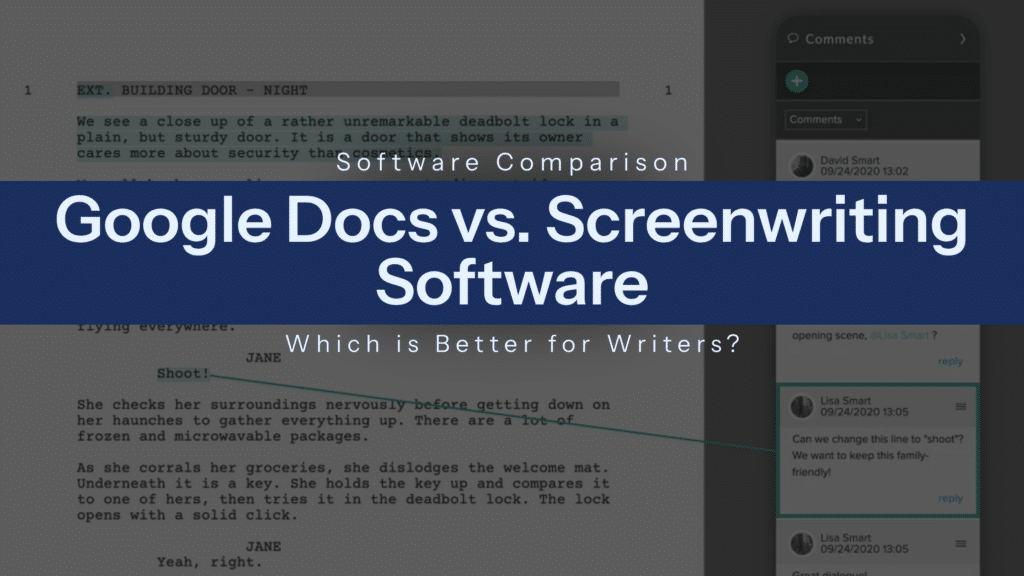
Should I be writing scripts in Google Doc, or is it time to switch to proper screenwriting software? In today’s blog, we’ll be pitting them against each other. The pros, the cons, and everything in between.
Who will come out victorious?
Table of Contents
- Google Docs vs. Screenwriting Software
- Can You Write a Script in Google Docs?
- Where Google Docs Falls Short for Screenwriting
- What Screenwriting Software Does Better
- When Google Docs Might Still Work
- FREE Script Formatting Checklist
- When to Switch to Screenwriting Software
- Google Docs vs Screenwriting Software: Final Verdict
- Frequently Asked Questions (FAQ): Google Docs vs. Screenwriting Software
- Conclusion
Google Docs vs. Screenwriting Software
On one side: Google Docs. Free, flexible, universally accessible, and genuinely brilliant for many kinds of writing.
On the other: screenwriting software. Built specifically for scripts, with industry‑standard formatting, production tools, and collaborative features designed for film and TV.
This isn’t about snobbery or gatekeeping. Plenty of talented writers start in Google Docs. Some even stick with it longer than you’d expect. But the two tools are designed for very different jobs. and once you understand those differences, the choice becomes much clearer.
Can You Write a Script in Google Docs?
Short answer: Yes, you can write a script using Google Docs.
Shorter/longer answer: Yes… but with caveats.
Google Docs doesn’t stop you from writing a script. You can type INT. KITCHEN – DAY just as easily as you can type a novel paragraph or a to‑do list. With enough patience and formatting discipline, you can absolutely produce something that looks like a screenplay.
But screenwriting is one of those forms where friction matters. Every small annoyance adds up, and Google Docs quietly introduces more friction than most writers realise, especially once you move beyond early drafts.

Where Google Docs Falls Short for Screenwriting
So, let’s dive a little deeper into the frustrations of Google Docs.
Manual Formatting Slows You Down
Screenplay formatting isn’t decorative. It’s functional. Margins, spacing, capitalization, and layout all exist because they communicate timing, emphasis, and intent at a glance.
In Google Docs, you’re responsible for all of it. That means manually adjusting margins for dialogue, centering character names, spacing action blocks, and constantly checking whether you’ve accidentally nudged something out of alignment. One small paste, one wrong style tweak, and suddenly your script looks… off.
More importantly, it pulls you out of the flow. Instead of thinking about character or tension, you’re thinking about tabs. Instead of following instinct, you’re wrestling the document into compliance. Over a long project, that cognitive tax adds up fast.
No Built-In Screenwriting Tools
Screenwriting software does a lot of invisible work for you. Google Docs does none of it.
There’s no automatic scene numbering. No character tracking. No revision mode. No breakdowns. No ability to see how long a scene might play on screen. No dual dialogue handling. No built‑in title pages or versioning systems tailored to scripts.
You can mimic some of this manually, or with third‑party templates and add‑ons, but that’s a workaround, not a solution. Templates don’t adapt or think, and they definitely don’t scale well.
Limited Collaboration for Production Workflows
Google Docs is excellent at general collaboration. Real‑time editing, comments, and suggestions all work beautifully for essays, articles, and notes.
But film and TV collaboration isn’t just multiple people typing at once. It’s producers giving script notes without breaking formatting. It’s directors isolating scenes. It’s assistants generating reports. It’s writers tracking revisions by colour, draft, and date and teams working toward production.
Google Docs was never built for that level of specificity, and it shows.
Skip manual formatting and start writing with Celtx for free.
What Screenwriting Software Does Better
Okay, now this is where dedicated screenwriting tools really start to earn their keep.
Automatic Formatting
In proper screenwriting software, formatting isn’t something you do. It’s something that happens. You hit Enter. The software knows what comes next.
Character names automatically capitalise. Dialogue snaps into position. Scene headings format themselves. Transitions behave like transitions. You can focus entirely on storytelling, trusting the script to remain industry‑standard no matter how messy your creative brain gets.
That freedom is underrated, especially during first drafts, when speed and instinct matter more than polish.
Built for Film and TV Workflows
Screenwriting software understands what your script is for. It knows that scenes become locations, that characters have casting implications, that pages roughly equal minutes, and that scripts evolve into shooting documents.
Many tools allow you to track elements, generate reports, and transition seamlessly from writing to pre‑production. This isn’t about writing “perfect” scripts. It’s about writing usable ones.
Collaboration Designed for Creative Teams
Unlike general writing apps, screenwriting software treats collaboration as part of the creative process, not an afterthought.
With tools like Celtx, collaboration extends beyond the writing desk. Writers, producers, directors, and crew can work from the same project ecosystem, with permissions, version control, and production features baked in.
Instead of emailing PDFs back and forth or juggling endless filenames, everyone stays aligned which becomes crucial the moment a project moves from passion to pipeline.

When Google Docs Might Still Work
Despite its shortcomings, Google Docs isn’t useless for screenwriters. In fact, there are situations where it makes perfect sense.
For Rough Ideas and Zero‑Pressure Drafts
Google Docs can be a perfectly reasonable place to start when you’re still figuring out what your story actually is. At this stage, you might be discovering characters, testing a premise, or writing without any intention of showing the draft to another human being.
The lack of structure can feel freeing rather than limiting, especially if you’re coming from prose, theatre, or journaling. When the goal is momentum rather than polish, Google Docs removes the psychological barrier of “doing it properly” and lets you focus on getting ideas out of your head and onto the page.
When You’re Writing Alone and Just Getting Words Down
If you’re working completely solo: no collaborators, deadlines, or expectation that the script will be read by producers or actors, Google Docs can function as a low‑friction writing environment.
You’re not worrying about industry standards yet, and you don’t need production features because the script isn’t heading toward production. In that context, Docs behaves like a digital notebook: flexible, familiar, and intentionally unprecious. For some writers, that simplicity helps silence the inner critic long enough to finish a draft.
Momentum Over Perfection
There are moments in every screenwriter’s process where finishing matters more than formatting. If you know you’ll be rewriting heavily, or even throwing the whole draft away, Google Docs can serve as a temporary home that prioritises speed over structure.
The key is recognising that this is a means, not an endpoint. Google Docs works best when you treat it as a launchpad, not the place you expect a script to live long‑term.
FREE Script Formatting Checklist
Writing your script in Google Docs? We’ve got you covered.
Use this free Script Formatting Checklist to make sure it’s industry-standard, or skip the manual work entirely with Celtx:

Click here to download the Celtx Ultimate Script Formatting Checklist
When to Switch to Screenwriting Software
Most writers hit a tipping point.
The Moment Other People Get Involved
As soon as you’re sharing a script with collaborators, Google Docs starts showing its cracks. Other writers, producers, or directors expect a screenplay to behave like a screenplay.
Screenwriting software removes ambiguity by enforcing industry‑standard layout automatically, which means everyone is literally on the same page.
Collaboration becomes clearer, cleaner, and more professional, and you spend less time apologising for formatting quirks and more time discussing the actual story.
When Formatting Stops Being Optional
There’s a point where formatting becomes functional. Once you care about page count, pacing, and scene length, manual formatting becomes a liability.
Screenwriting software handles these elements invisibly, allowing the script to communicate timing and structure without extra effort from you.
This is often the moment writers realise how much mental energy Google Docs has been quietly draining, and how much smoother the process feels when the tool understands the form you’re working in.

As Soon as Production Enters the Conversation
The second a script is being considered for production, Google Docs is no longer the right tool. Production relies on accurate scene numbering, breakdowns, revisions, and consistency across documents: all areas where screenwriting software excels.
Platforms like Celtx go further, bridging the gap between writing and production by keeping everything connected in one ecosystem. Switching at this stage isn’t about being “serious enough”; it’s about making the script usable in the real world.
When Your Projects Start to Outgrow Your Tools
If you’re juggling multiple scripts, developing a series, or building a long‑term writing practice, scalability matters. Screenwriting software is designed to support growth: more drafts, more collaborators, and more complex projects without collapsing under its own weight.
When you find yourself creating workarounds in Google Docs such as colour‑coding scenes, duplicating files, managing endless versions, that’s usually your cue. The project has outgrown the tool, and it’s time to switch to one built for where your writing is headed next.
Google Docs vs Screenwriting Software: Final Verdict
This isn’t an either‑or, and it isn’t about “real writers” versus beginners. Google Docs is a flexible, accessible writing tool that can help you get started. For notes, early drafts, and solo experimentation, it has a place in many writers’ workflows.
But screenwriting software exists for a reason. It removes friction, enforces industry standards, supports collaboration, and prepares scripts for the realities of film and TV production.
If your goal is to write screenplays that move beyond your laptop: to desks, sets, and screens, dedicated software is the better long‑term choice.
Tools like Celtx strike a particularly strong balance, offering powerful screenwriting features alongside production‑ready collaboration and planning tools. It’s all about supporting the life of that script from idea to execution.
At some point, professionalism stops being about ambition and starts being about infrastructure.
Google Docs vs. Screenwriting Software Frequently Asked Questions (FAQ)
Occasionally, usually for outlines, brainstorming, or very early drafts. Most professional screenwriters switch to industry‑standard software for actual scripts, especially once a project involves collaborators, agents, or production teams.
Many screenwriting tools offer free tiers with limitations. Celtx, for example, provides accessible entry‑level options while still using professional formatting and workflow tools designed specifically for screenwriters.
Not really. In fact, most writers find it easier than fighting with manual formatting in general writing apps. Once you understand the basics, the software largely stays out of your way.
Yes, and many writers do. But the earlier you switch, the less reformatting you’ll have to do, and the faster you’ll build habits that align with industry expectations.
Conclusion
Writing a screenplay is hard enough without your tools working against you.
Google Docs can be a comfortable place to begin, but comfort isn’t always the same as support. Screenwriting software exists to remove obstacles and let you focus on story, character, and momentum instead of margins and spacing.
If you’re serious about screenwriting as a craft and a career, switching to dedicated software isn’t a betrayal of creativity. It’s an investment in it.
And once your tool understands what you’re trying to make, you might be surprised how much easier the writing itself becomes.
Focus on your story, not your formatting.
Let Celtx’s Script Editor automatically apply all industry rules while you focus on the story.
Up Next:

Screenplay Format 101: Write Like a Pro with This Free Template
You have the right tools—now master the rules. Learn the essential formatting standards that ensure your script looks professional and is ready for production.
