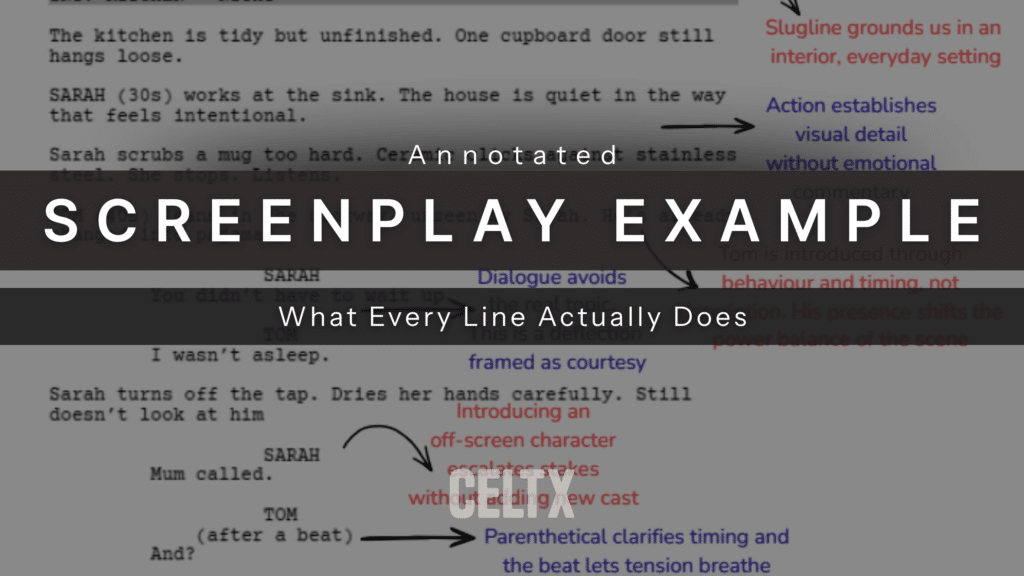
Most screenplay articles tell you what something is: scene heading, action, dialogue, parenthetical, transition. Tick, tick, tick, all boxes checked.
What they don’t often do is tell you what each line actually does on the page, how it works, why it’s placed where it is, and what it’s quietly communicating to a reader who may decide, within a few pages, whether your script lives or dies.
That’s what today’s blog is all about. We’re going to take a professional‑standard screenplay page and annotate it line by line, not in a prescriptive, paint‑by‑numbers way, but with context, intention, and subtext. This isn’t about rules for the sake of rules but about understanding the function of every element, so you can use the form deliberately rather than obediently.
If you’ve ever wondered why two scripts formatted “correctly” can feel wildly different to read, the answer lives here.
Table of Contents
- What is a Professional Screenplay Example?
- Anatomy of a Screenplay Example: A Visual Page Breakdown
- 5 Key Elements Found in Every Professional Screenplay Example
- How to Use Script Annotation to Improve Your Writing
- Download Your Free Annotated Screenplay Example (PDF)
- Frequently Asked Questions (FAQ) About Screenplay Examples
- Conclusion

What is a Professional Screenplay Example?
Before we start pointing arrows at sluglines and circling parentheticals in red pen, it’s worth getting one thing straight: professional screenplay format is not decorative.
Every line exists to serve three readers simultaneously:
- The person reading it for story
- The person reading it for production
- The person reading it for time
Your script has to move. It has to be legible. It has to feel effortless, even though none of this is accidental. Annotation, done properly, shows you where that effort lives.
In the examples below, imagine a single page from a feature or high-end TV script: nothing flashy or indulgent, just solid, invisible craft doing its job.
Anatomy of a Screenplay Example: A Visual Page Breakdown
At a glance, a professional screenplay page looks deceptively simple. White space, short paragraphs, dialogue blocks stacked neatly, and the occasional ALL CAPS word popping up like a road sign. You could be forgiven for thinking there’s not much going on.
In reality, a reader can tell within seconds whether a writer understands the page.
Is the text breathing? Are our eyes guided naturally downward? Do we know where we are, who we’re with, and what matters without being told how to feel?
A well-constructed page does most of its work before the dialogue begins. That’s where we’ll start.
5 Key Elements Found in Every Professional Screenplay Example
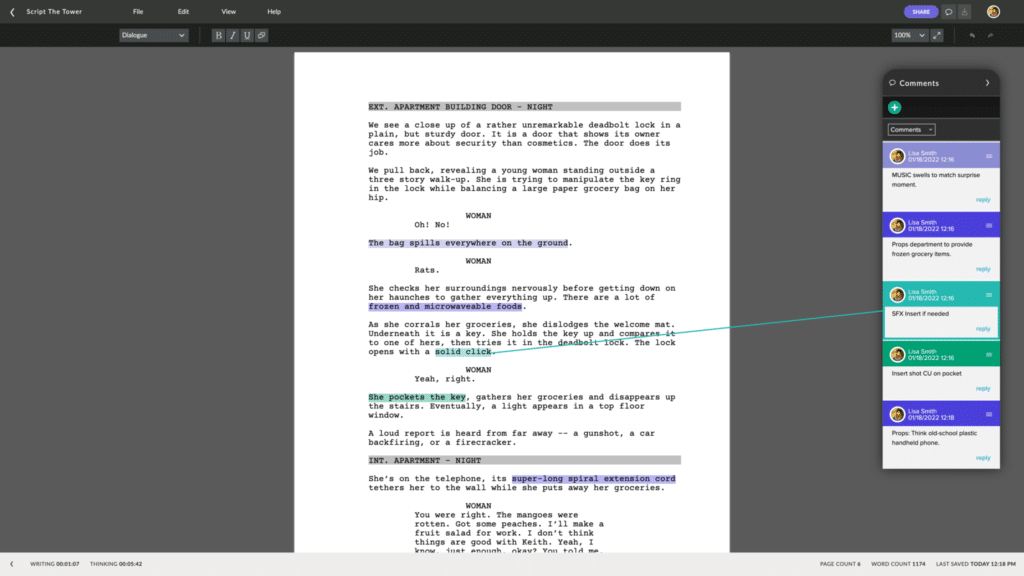
Every professional screenplay example relies on five core elements to function as a production-ready blueprint: scene headings, action lines, character cues, dialogue, and parentheticals. These components create the standardized layout that signals your expertise to producers and allows your crew to plan the shoot effectively.
Industry insiders can identify a “Pass” or “Recommend” script simply by scanning how these five building blocks interact on the page. By studying an annotated example, you learn to see the script as more than just a story—it becomes a logistical roadmap.
Below, we’ve broken down the five key elements you must master to ensure your project meets current industry standards.
The Slugline (Scene Heading): Setting the Time and Place.
INT. KITCHEN – NIGHT
Few words but possibly the most underrated line in your script. On the surface, the slugline (or scene heading) exists to tell production where and when the scene takes place. Interior or exterior, location, time of day. Job done.
But for the reader, it does more than that, it solidifies expectation:
- “INT.” immediately tells us we’re enclosed. Private. Controlled.
- “KITCHEN” implies domesticity, routine, familiarity.
- “NIGHT” brings mood, fatigue, secrecy, or danger with it, depending on context.
A good slugline should set the conditions of the scene. But it shouldn’t editorialize There’s no “COSY KITCHEN” or “DARK, OMINOUS NIGHT” unless the tone genuinely requires it. Restraint here signals confidence. You trust the rest of the page to carry mood through action and behaviour.
Action Lines: Writing for the Eye, Not the Ear
SARAH stands at the sink. Her hands shake as she washes the mug, replaying the argument from earlier.
Action is where many scripts lose their readers. Don’t get me wrong, it’s not because the writing it bad, but because it’s doing the wrong job.
Action lines are not prose nor internal monologue. They exist to describe what can be seen and heard on screen, in the order we experience it, at the speed we experience it.
The problem with our above example isn’t the shaking hands but “replaying the argument.” We can’t see that. Instead, we should infer it. This inference belongs to the director and actor, not the page.
So instead, we should rewrite as:
SARAH scrubs the mug hard. The sponge slips and she freezes. The water keeps running.
Suddenly we understand more rather than less. The camera has something to capture. The actor has something to play. The reader isn’t asked to imagine an intangible emotional process. Instead, they’re watching it happen.
Short paragraphs help here: one to three lines at most to maintain momentum. This is writing for the eye, not the ear, and certainly not for the novel reader in your head.
Ready to write your own screenplay? Sign up for Celtx and let us handle the formatting.
Character Cues and Dialogue: The Heartbeat of the Script
Dialogue is where writers tend to overcorrect. Either they load it with meaning, subtext, exposition, and emotional clarity, or they sand it down so completely that every character sounds the same.
The character cue does quiet introductory work before the dialogue even begins. A name in ALL CAPS is a contract: this person matters. Capitalising a character’s first appearance signals to production and to the reader that we should pay attention.
After that, the dialogue itself does something deceptively difficult: it must sound natural while being deliberately shaped.
Good dialogue is rarely about what it appears to be about. It’s situational, reactive, and often indirect.
A professional page reveals relationships in dialogue. Who interrupts who, who avoids answering, who fills silence, and who changes the subject when a certain name comes up.
Formatting supports this. Short lines accelerate pace. A single‑word reply can land harder than a paragraph. If action is the skeleton, dialogue is where the blood starts moving.
Parentheticals: Handling Actor Direction Sparingly
Parentheticals are one of the fastest ways to mark yourself as either a confident writer or a nervous one. Used sparingly, they clarify intent. Used habitually, they suffocate performance.
A parenthetical should exist only when the line could be played multiple ways, and the wrong choice would change the meaning of the scene.
For example:
TOM
(lightly)
I’m fine.
Without the parenthetical, “I’m fine” could mean anything. With it, you’re narrowing the lane. Where writers get into trouble is using parentheticals to control delivery:
(angrily)
(sadly)
(sarcastically)
If the emotion isn’t evident from context, the fix usually isn’t a parenthetical. Instead, you should rewrite the action or the line itself.
CELTX TOP TIP: If you can remove the parenthetical and the scene still reads clearly, remove it. Trust the actor, the reader, and most of all, trust the page.

Transitions: Guiding the Editor’s Rhythm
Transitions act as technical cues for the film editor. They signal exactly how one scene should flow into the next. In a professional screenplay example, you will find these markers flush against the right-hand margin in all caps. While a new scene heading usually implies a simple “cut,” specific transitions help you control the visual pace and emotional impact of your story.
Example:
EXT. FOREST – NIGHT
The shadow vanishes into the trees.
SMASH CUT TO:
INT. POLICE STATION – DAY
In modern 2026 formatting, the golden rule is to use transitions sparingly. Only include them when a specific shift—like a DISSOLVE TO indicating time passage or a MATCH CUT TO for visual irony—is essential to the narrative rhythm. Over-formatting can clutter the page and stifle the creativity of your post-production team.
How to Use Script Annotation to Improve Your Writing
Script annotation is the professional practice of “reading with a pen” to deconstruct how a scene actually works. Instead of just following the plot, you are looking at the mechanics of structure and subtext. By marking up a screenplay example, you sharpen your critical eye to identify exactly which narrative gears are turning.
- Reverse-Engineer Pacing: Use the margins to note where a conflict shifts. If you find a page with no “turns,” the scene may be static.
- Identify the Subtext: Write down what a character is actually thinking versus what they are saying.
- Mark Emotional Beats: Use two slashes (//) within dialogue to indicate a shift in tone or strategy.
Download Your Free Annotated Screenplay Example (PDF)
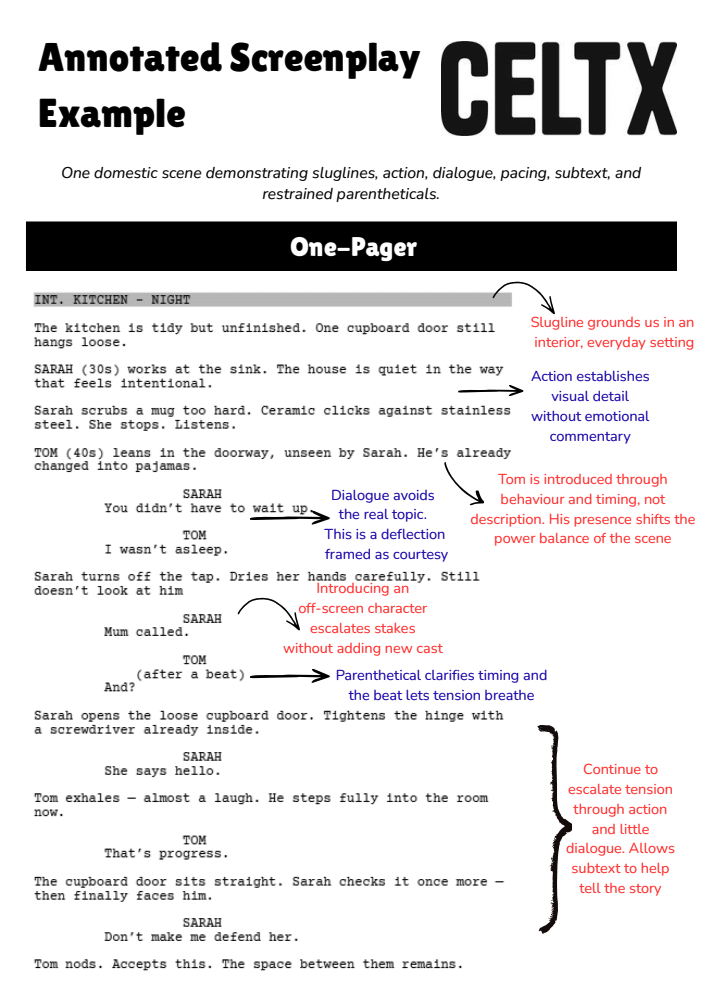
To make this practical rather than theoretical, check out our annotated screenplay page where every element we’ve discussed is highlighted:
- The slugline marked to show how it establishes tone
- Action lines annotated to flag visible behaviour versus internal thought
- Dialogue notes explaining subtext rather than surface meaning
- Parentheticals called out for necessity, not preference
One page is often enough to reveal whether a writer understands the form. A single, well‑constructed page can demonstrate professional fluency more effectively than any how‑to guide.
What are you waiting for? Download your copy of the Full Annotated Script PDF
And if you want to fill your boots and read even more awesome scripts for inspiration, check out the Internet Movie Script Database (IMSDb).
Frequently Asked Questions (FAQ) About Screenplay Examples
If you want your script to be read without friction, yes. Format is not about tradition — it’s about efficiency and shared language.
You can bend format when it serves clarity or tone. You can’t ignore it and expect the reader to compensate.
If the page starts to feel heavy or slow, it’s too much. Action should feel almost invisible.
Only when they’re doing the work the writing should be doing on its own.
Trying to explain instead of letting behaviour, structure, and formatting do the work.
Conclusion
A screenplay page is a system. Every line carries information, some of it obvious, some of it subliminal. When you understand what each element is for, you stop imitating scripts and start communicating through the form.
Annotation is all about clarity. It teaches you to see the page the way a professional reader does as a sequence of signals guiding them through story, tone, and character at speed. And once you can see that, you write scripts that invite being read with action that jumps off the page.
Focus on your story, not your formatting.
Let Celtx’s Script Editor automatically apply all industry rules while you focus on the story.
Up Next:

Screenplay Format 101: Write Like a Pro with this Free Template
You’ve seen the example—now learn the rules. Master the industry-standard margins, fonts, and technical grammar required to ensure your script is production-ready.