If you’ve spent any amount of time in screenwriting circles, real or digital, you’ve heard the debate. It shows up in writing forums, film school classrooms, and definitely on that one Discord server! The debate: Celtx vs. Final Draft.
One is the legacy titan, the industry old guard, the software that’s been around long enough to remember when laptops weighed as much as a small child. The other is the modern, cloud-native, workflow-integrated powerhouse built for how people write, collaborate, and produce today.
So, which one actually fits your writing workflow? Which one supports how projects get made now, not 20 years ago? In today’s blog we’ll break down Celtx and Final Draft’s features and see how they compare!
Let’s put these two screenwriting titans head-to-head!
Legacy Tools vs. Modern Workflow
Final Draft has been the name in the screenwriting software for decades. It was the first to standardize screenplay formatting digitally, the first to win Hollywood recognition, and the first piece of software many established screenwriters ever used. Its reputation is strong because it’s been the default for so long.

But writing workflows have changed, productions move faster, teams collaborate remotely, and writers juggle multiple projects across devices. And beyond the draft itself, scripts flow into a pipeline that includes breakdowns, schedules, budgets, story departments, and producers.
This is where Celtx enters, not just as another writing tool, but as a full pre-production ecosystem. It’s the modern writing studio: cloud-based, collaborative, integrated, and built for every stage from idea to production.
Core Feature Showdown
Now our introductions are out of the way, let’s dive a little deeper into what makes them both tick.
Formatting and Tools
Both Celtx and Final Draft adhere to WGA-approved screenplay formatting standards. So, whether you’re submitting to a script to a competition, a producer, or your friend’s microbudget project that will totally get into Sundance this year, you’re covered.
Where they diverge is in innovation.
Final Draft focuses heavily on writing and formatting. It does it well, but it keeps its lens narrow. Celtx, meanwhile, takes the foundation of script formatting and builds a world of tools around it:
- Fully cloud-based writing
- Auto-tagging for production elements
- Integrated index cards
- Writing insights and analytics
- Mobile accessibility
- Seamless movement from script to production tools
If Final Draft is a well-constructed hammer, Celtx is the entire toolbox you need to build the house.
Collaboration
Here’s where Celtx wins by a landslide. Yes, Final Draft technically offers collaboration, but it’s limited. Its ‘collab’ features are clunky, Wi-Fi sensitive, and often dependant on both writers having the exact same version installed.
Celtx’s collaboration, by contrast, is real-time and cloud native:
- Multiple writers can edit simultaneously
- Revisions appear instantly
- No one needs to email ‘latest_draft_final_v2’ ever again
- Producers and teammates can view and comment without extra installs
- All versions are securely stored in the cloud

Celtx treats collaboration as a core part of the writing workflow, not an afterthought. In an industry where teams are scattered across cities, countries, and time zones, collaboration isn’t optional anymore.
Workflow Integration
While Final Draft is a writing tool, Celtx is an entire pre-production platform. Once you finish a script in Final Draft, your next steps: script breakdowns, schedules, budgets, and production documents, require entirely separate software. You export, import, reformat, start over, cross fingers, find errors, and try again. It’s fragmented, inefficient, and time-consuming. Celtx eliminates that friction because the workflow is integrated from day one.
Celtx includes:
- Script Breakdown
- Scheduling
- Budgeting
- Shot lists
- Call sheets
- Asset management
- Department collaboration
All of these connect directly to your screenplay. When your script changes, your breakdown updates. When you update the breakdown, your schedule updates. Everything is linked because everything is part of the same platform.
For writers who want to understand or participate in in production, for indie filmmakers building their own pipeline, for teams that need a single source of truth, Celtx’s workflow integration is a massive advantage.
Don’t just take our word for it! Screenwriting Scribe breaks down everything Celtx has to offer:
Pricing and Accessibility
Money matters, especially in creative fields where the annual ‘writer income’ graph often looks like a rollercoaster.
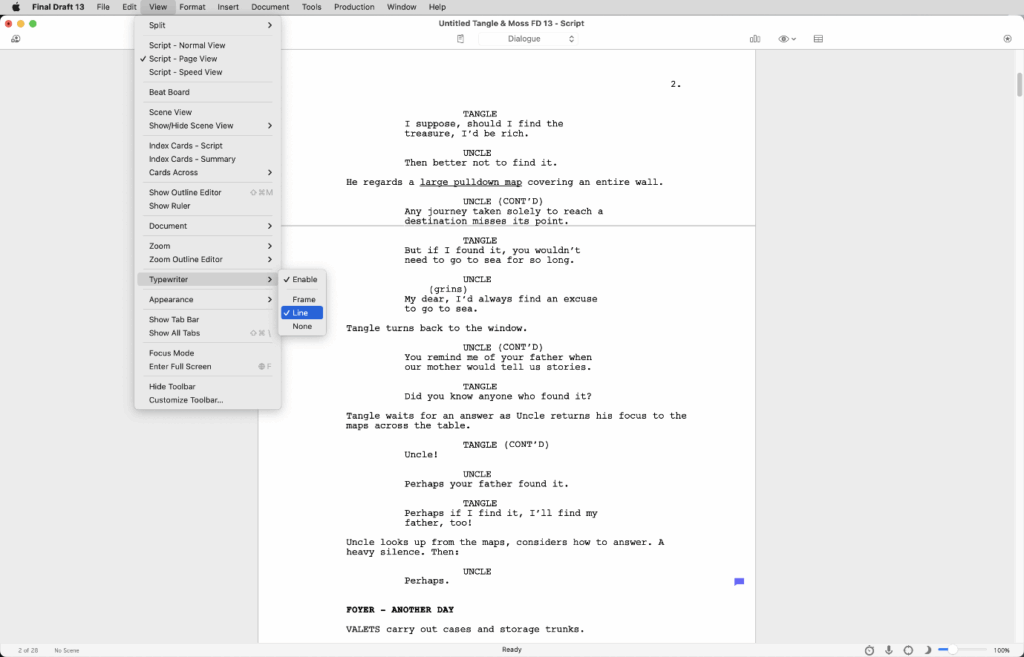
Final Draft Pricing
Final Draft is a one-time purchase (often around $250) with periodic paid upgrades. If you bought FD12 and want the features in FD13? That’s another purchase.
It’s expensive upfront, and while you technically ‘own it forever’, the software only ages while the industry moves forward.
Celtx Pricing
Celtx uses a subscription model but one with significantly more value. For less than the cost of a single Final Draft license, you get ongoing access to:
- Writing tools
- Real-time collaboration
- Cloud storage
- Production tools
- Regular updates
- Integrated project workflows
It’s accessible to students, indies, production teams, and studios alike.
Final Draft is a big purchase for a single tool. Celtx is an affordable investment into an entire creative workflow. And to compare more screenwriting software based on their prices and real reviews from users, check out Capterra.
Who Are These Tools Really For?
Every writer and production has its own style. Some writers prefer the quiet hum of a vintage-feeling tool that stays out of the way. Others want software that thinks with them, anticipates their needs, and connects all the dots of production before anyone steps on set.
Understanding which camp, you fall into makes the Celtx vs. Final Draft decision even clearer.
For the Traditionalist: The Final Draft Writer
You might love Final Draft if:
- You prefer a minimalistic interface focused purely on writing.
- You’re comfortable exporting your script into other tools (sometimes multiple times).
- You’re working solo and don’t need collaborative features.
- You’ve used Final Draft for years and your muscle memory is powerful.
- You’re working on studio-driven projects where tradition reigns supreme.
Final Draft is the familiar, dependable, no-surprises option. If screenwriting is your singular task and you don’t need production tools, it gets the job done.

For the Modern Creator: The Celtx Writer
You might thrive with Celtx if:
- Your writing is part of a larger workflow (shorts, features, multimedia, branded content, etc.)
- You collaborate with co-writers, producers, directors, or editors
- Your team is distributed across multiple locations
- You want your tools to grow with your project, not end once the script is written
- You like working in the cloud so your ideas follow you on your laptop, phone or tablet
- You’re indie-focused, production-minded, or wearing multiple hats
Celtx doesn’t just format your pages. It supports every stage of building a project, from story ideation to production prep. Modern creators aren’t just writers anymore. We’re project managers, collaborators, and problem-solvers. Celtx acknowledges that reality.

Why Does This Distinction Matter?
Choosing screenwriting software is about choosing a creative environment and home base for your ideas. While Final Draft is a desk in a quiet room, Celtx is an entire studio built for your whole team.
And when you think about your future projects, your evolving creative style, and your long-term workflow, the right choice becomes clearer.
Want to hear more about how Celtx compares to other screenwriting software? See how we stack up against StudioBinder here.
The Celtx Advantage
Let’s recap why Celtx edges out Final Draft for today’s screenwriters:
1. Collaboration that Actually Works
Real-time, cloud-based collaboration that supports teams of any size, anywhere.
2. A Full Production Ecosystem
Move from script to breakdown to schedule to budget, all in the same platform.
3. Modern Workflow Design
Celtx is built for how people work today, not how they worked 20 years ago.
4. Continuous Updates and Improvements
No waiting for multi-year upgrade cycles or paying again for new features.
5. Accessible Pricing
You get more tools, more value, and more functionality for less cost.
Celtx is the better choice for modern storytelling teams, indie productions, creators who want integrated workflows, and anyone needing collaboration and flexibility.
Final Draft helped define digital screenwriting and Celtx is now defining what comes next.

FAQs
Yes. Celtx can import and export Final Draft (.fdx) files, making it easy to collaborate with others or move existing projects into a modern workflow.
Producers care about clarity, formatting, and accessibility. Because Celtx integrates production tools like breakdowns, schedules, and budgets, many producers prefer working within Celtx’s ecosystem. That said, Final Draft files are still widely accepted.
Celtx by a wide margin. Its real-time, cloud-based collaboration is more modern, more stable, and far easier to use than Final Draft’s limited collaboration features.
Yes. Final Draft is a large upfront purchase, while Celtx offers high-value subscription plans that include many more tools beyond writing.
Final Draft focuses almost entirely on screenwriting and formatting. Celtx offers those same standards plus integrated production tools, real-time collaboration, cloud access, and multi-department workflows.
Conclusion
At the end of the day, both Celtx and Final Draft write scripts. Both will get your scene headings, parentheticals, and dialogue exactly where they need to be.
But only one of them supports everything around the script: the collaboration, the production planning, the real-time teamwork, the evolving workflow of modern filmmaking.
Final Draft is screenwriting software. Whereas Celtx is a complete story-to-production platform.
If you’re choosing between a single tool and a full creative ecosystem, the choice becomes clear. For writers, filmmakers, teams, and modern productions, Celtx doesn’t just fit into your workflow. It is your workflow.
Focus on your story, not your formatting.
Let Celtx’s Script Editor automatically apply all industry rules while you focus on the story.