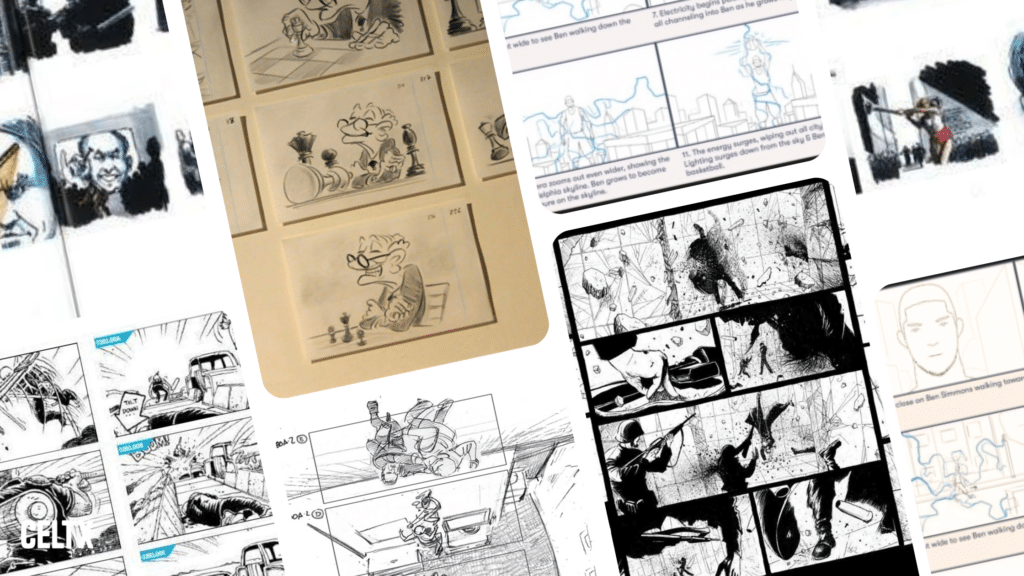
If you’ve ever watched a scene and thought, “There is no way they just showed up and figured that out,” you’re right. They didn’t. That moment, whether it’s a hallway spinning upside down, a silent robot making you cry, or a 30-second commercial that somehow tells a full story, almost always starts the same way: with a storyboard.
Storyboards are the unglamorous behind-the-scenes of visual storytelling. You’ll rarely find them framed on office walls or winning Oscars, and most audiences never know they exist. But without them, complex scenes simply wouldn’t exist, and stories would lose their way very quickly.
So, in today’s blog we’re shining the spotlight on storyboards and diving into real storyboard examples that actually did the heavy lifting. Real projects that show why storyboards matter, and how they’re used differently across feature films, animation, and commercials.
You’ll walk away with inspiration, practical insight, and a clearer sense of how to apply storyboarding to your own work, no matter the scale.
What Is a Storyboard?
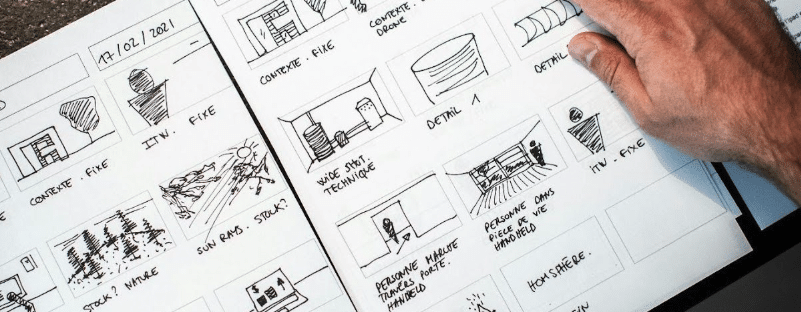
A storyboard is a visual roadmap for a story over time. It breaks an idea into a sequence of images that show what the audience sees, how the camera moves, how action unfolds, and where emotional beats land.
It’s all about making key decisions before production and answering uncomfortable questions early on. Questions like:
- Does this scene actually make sense visually?
- Are we cutting too fast or not fast enough?
- Will the audience understand where we are?
Depending on the project, a storyboard might be loose stick figures, detailed frames, or something in between. The quality of the drawing matters far less than the clarity of the idea. Good news for those of us who rely on those stick figures!
Storyboard Examples in Feature Film
Feature films, especially large-scale ones, depend on storyboards to survive. When you’re coordinating dozens of departments, expensive equipment, and limited shooting days, you can’t rely on improvisation.
Here are three feature film examples where storyboards were absolutely essential.
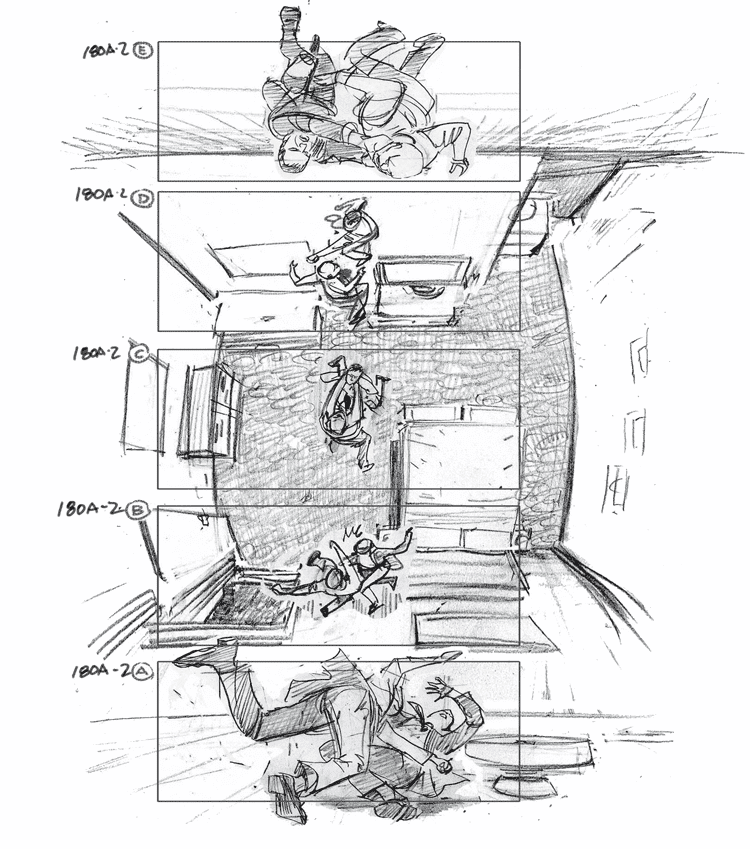
Example #1 | Inception (2010) The Rotating Hallway Fight
This scene feels impossible because, in many ways, it was. The rotating hallway fight in Inception required choreography between actors, a massive rotating set, practical stunts, and later visual effects.
Storyboards mapped out camera orientation, movement, and timing long before anyone stepped onto set. If the filmmakers had completely skipped this step, the audience would quickly lose track of who’s up, who’s down, and why the scene works at all.
Take a look at Gabriel Hardman’s storyboard below:
And here’s the scene in action:
So, why is this a great storyboard example? Well, it solves physical and spatial problems visually, aligns stunts, camera, and VFX, plus it prioritizes the scene’s clarity rather than its spectacle. Think of it as storyboard engineering.
Example #2 | The Matrix (1999) Rooftop “Bullet Time” Sequence
Before “bullet time” was a term everyone knew, it was a storyboard problem. The Wachowskis used storyboards to define camera movement that didn’t yet exist in practical form. These boards explained how time would slow, how the camera would orbit, and how the audience’s eyes would track the action.
They were essentially inventing a visual language with the help of comic book artists Steve Skrice and Geoff Darrow. Here’s the storyboard from part of that famous scene:

And here’s the scene on camera:
It works very well as it defines impossible camera movement, communicates new ideas to technical teams, and shows how boards can actually precede technology. Storyboards truly allowed The Matrix to be possible.
Example #3 | Mad Max: Fury Road (2015) Chase Sequences
George Miller famously structured Fury Road almost entirely through storyboards. The film’s relentless chases work because the boards focused on bold compositions, clear screen direction, and visual momentum.
Characters are framed center-screen, so the audience always knows where to look, even at full speed. The dialogue is minimal, but Mark Sexton’s visuals do the work!
Let’s take a look at the storyboard for one of the chase sequences:

A truly stand-out storyboard example because it emphasizes readability over complexity, maintains order in absolute chaos, and proves boards can drive an entire film. There wasn’t a script for this movie for a long time, just the storyboards! Cool, right?
Storyboard Examples in Animation
In animation, storyboards are the first true version of the film. Entire sequences live and die in storyboard form before anything is animated. Here are three animated projects where boards carried emotion, pacing, and performance.
Example #4 | Toy Story (1995) Character-Driven Scenes
Pixar rebuilt Toy Story multiple times in storyboard form. Early versions didn’t work emotionally, so they were scrapped and redrawn.
Storyboard artists focused on character intent, staging, and acting. If a moment didn’t land in boards, it didn’t survive.
Check out this video from Pixar themselves, showing a side-by-side view of Woody and Buzz’s first meeting, both storyboard and finished movie.
The storyboards are wonderful as an emotion-first approach, iteration without massive cost, plus they function as great storytelling drafts. And most excitingly, Toy Story set the standard for modern animation workflows. Pixar have been going from strength to strength ever since.
Learn more about Disney and Pixar’s animation process through their official animation page right here.
Example #5 | Spider-Man: Into the Spider-Verse (2018) Stylized Action
Spider-Verse pushed visual style hard, and storyboards were where those risks were tested safely with minimal risk to the budget.
Storyboard artist Alberto Mielgo’s early drawings used dynamic framing, unconventional camera angles, and graphic compositions to explore the story long before animation began. The team used storyboards to define what rules could be broken, and which ones couldn’t. See for yourself:
It’s a fantastic example of a storyboard which encourages visual experimentation, defined style early, and uses the boards to manage creative risk.
Example #6 | Wall-E (2008) Open Silent Sequence
The opening of Wall-E has almost no dialogue. Storyboards had to carry everything from the mood and scale to loneliness and hope.
Each panel focused on staging and composition, ensuring the story read clearly without words:
With Derek Thompson leading the team of Pixar’s storyboard artists, they successfully proved boards can communicate emotion, that they can rely on visual clarity alone, and can echo silent film storytelling. In short, if it works in boards, it works on screen.
Storyboard Examples in Commercials & Shorts
Commercials and shorts operate under different pressure: short runtimes, fast approvals, and limited budgets. Storyboards here are about speed and agreement.
These next three examples show how boards shine in short-form storytelling:
Example #7 | Apple “1984” Super Bowl Commercial
These storyboards prioritize clarity above all else. The concept, framing, and message in commercials must be instantly understandable to creatives, clients and the audience. Apple does this extremely well, even in some of its earlier advertisements like this one shown at the 1984 Super Bowl:

And here it is in full:
The storyboard is a great example of client-friendly communication, fast decision-making and clear product storytelling, all musts for a successful advert.
Example #8 | Nike (2020) Avatars
Nike’s Avatars spot relies heavily on digital characters interacting with the real world, which means many of its biggest creative decisions had to be locked before production ever began.
Storyboard and accompanying captions were used to define character scale, motion, camera placement, and transitions between live-action and CG moments. The boards below ensured that performance, framing and the brand tone stayed consistent even as the execution crossed into fully synthetic technology.

And here it is in action, with some extremely valuable insights from Hey Neighbor co-creators of the spot:
So why is this a great example of storyboarding? Well, it bridges live-action and digital characters, clarifies VFX-heavy beats before production, and maintains consistency across complex shot lists.
Example #9 | Geri’s Game (2004) Pixar Short
In short films, there’s nowhere to hide. Geri’s Game relied on storyboards to establish scale, point of view, and emotional arc quickly. The boards ensured every beat contributed to this story.
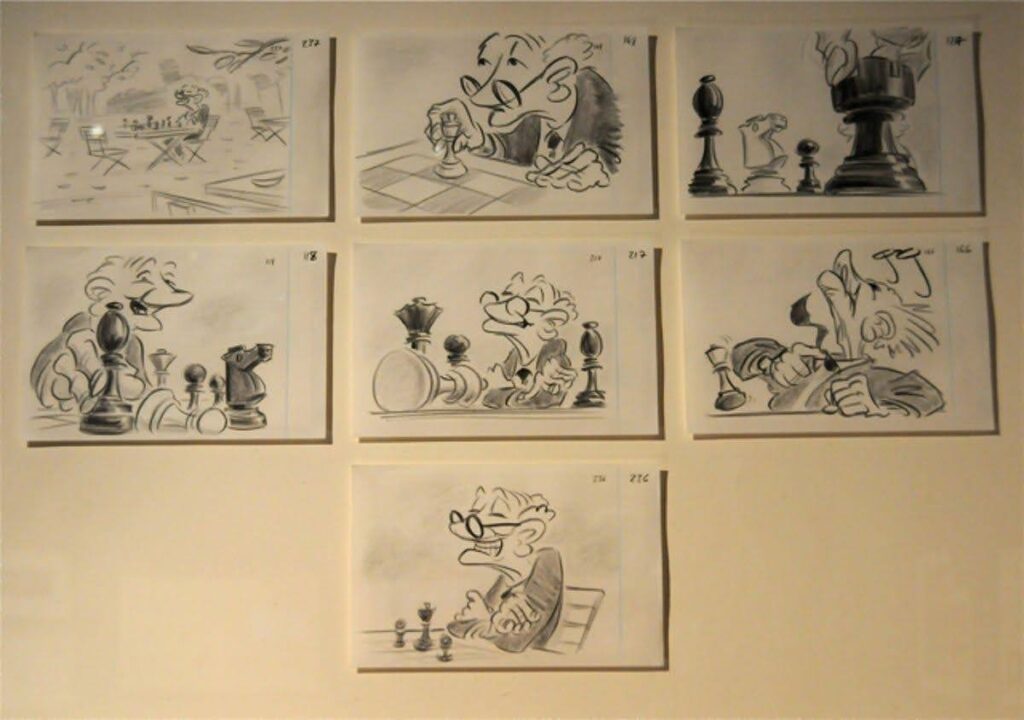
The storyboard works because we gain emotional clarity in limited time, see efficient visual storytelling and strong POV control. It’s precise storytelling and it’s simply stunning!
Common Storyboarding Mistakes to Avoid
Even great ideas fall apart with weak storyboards. Not because the concept was bad, but because the planning failed to support it.
Let’s look at some of the most common mistakes creators make when storyboarding, and they show up at every level, from student films to professional productions.
Too Much Detail, Too Early
One of the biggest traps is treating storyboards like final artwork. Over-rendered panels can look impressive, but they often slow down the process and discourage iteration. When a drawing takes hours to complete, teams become emotionally attached to it, even if the idea isn’t working at all.
Storyboards are there to test ideas, not protect them. If a stick figure communicates the action clearly, it’s doing its job. Detail should increase only when clarity demands it, not because the board needs to look super polished.
Confusing Panel Order
If someone can’t tell how to read your storyboard within a few seconds, the problem isn’t them, it’s the board. Unclear numbering, inconsistent panel sizes or unclear transitions between shots, can make even a simple sequence hard to follow.
Readers should never have to guess which panel comes next or how time is progressing. Left to right, top to bottom is the safest default, and arrows or shot numbers should be obvious and consistent throughout.
A storyboard is a communication tool. If it requires explanation every time someone looks at it, it isn’t doing its job.
Ignoring Camera and Framing
Many beginner storyboards focus only on what is happening, not how it’s being shown. Action without framing is incomplete information. Is this a close-up or a wide shot? Is the camera static, panning, or handheld? These devices dramatically affect tone and pacing.
Failing to indicate camera movement or shot size forces directors, animators, or editors to guess and that often leads to confusion or mismatched expectations later in production.
Want to learn how to storyboard for yourself? Check out our comprehensive guide:How to Create a Storyboard.
FAQ about Storyboards
No. You need to be good at thinking visually. Simple shapes, arrows, and notes go a long way.
Detailed enough that someone else understands your intent without you in the room.
More than ever. Faster production cycles and complex visuals make planning essential.
And for even more animation resources, Animation Magazine is perfect for you.
You can find quality storyboard examples in a few key places:
– Film art books and director archives featuring original storyboards
– Artist portfolios on sites like ArtStation or Behance
– Studio and film school blogs that break down scenes shot-by-shot
– Storyboarding software galleries with real-world templates and samples
Reviewing storyboard examples across film, animation, shorts, and ads (like the ones in this guide) helps you understand how different productions plan shots, pacing, and visual flow.
Conclusion
Every project in this list, whether a blockbuster, an animated feature, or a 30‑second commercial, relied on storyboards to make smart decisions early.
That’s the real power of storyboarding. It protects your story from chaos. So, before you roll a camera, open a timeline, or spend a dollar on production, sketch the idea first. Your future project will thank you.
Focus on your story, not your formatting.
Let Celtx’s Script Editor automatically apply all industry rules while you focus on the story.
Up Next:
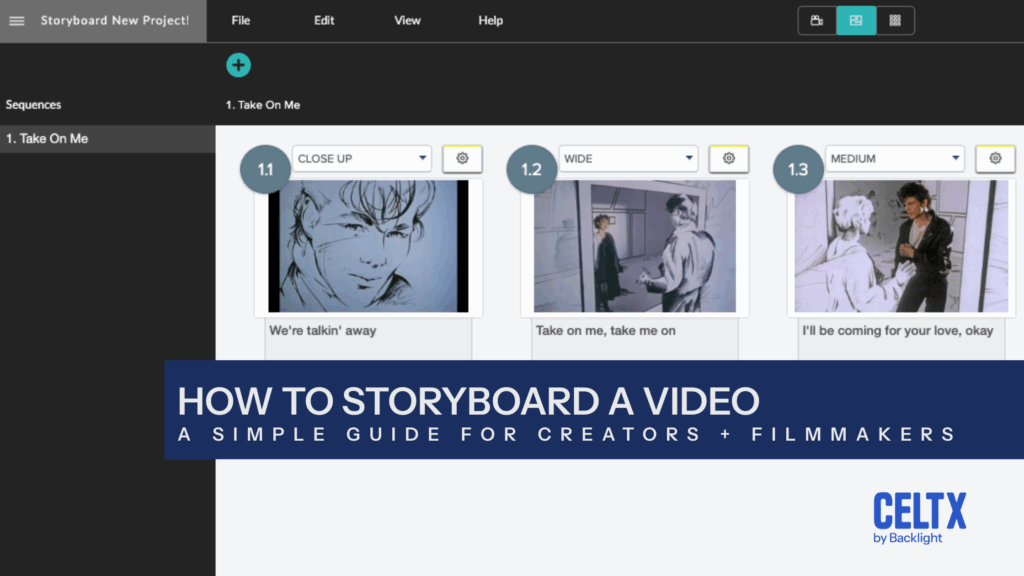
Now that you’ve seen storyboard examples across different formats, this step-by-step guide walks you through creating your own storyboard—from rough sketches to shot-by-shot planning.