If you’ve ever tried to juggle a script draft, a shooting schedule, a stack of call sheets, and a half-finished budget spreadsheet, you know filmmaking is equal parts creativity and chaos. You’ve got brilliant ideas, yes, but without the right production tools, even the best projects can stall in the fog of “Where’s that file again?”
Well, that’s where production management software swoops in as the unsung hero of modern filmmaking. Two of the biggest names in this space are Celtx and StudioBinder. Both offer slick, cloud-based ways to keep your projects organized (and hopefully, your sanity intact).
But here’s the thing: they’re not identical twins. Celtx leans into an all-in-one workflow that covers everything from script to schedule to budget. StudioBinder, meanwhile, is a powerhouse for team collaboration and polished production planning.
So, which one should you choose? In today’s blog, we’ll be breaking down Celtx vs. StudioBinder feature by feature and figure out which one suits your creative flow.
Let’s get going…

Table of Contents
What is Production Management Software?
Once upon a time, filmmaking meant juggling a half-dozen different tools. You’d write in Final Draft, plan in Excel, email call sheets manually, and hope your crew remembered while they were supposed to be. It worked… sort of. But it wasn’t pretty.
Today’s production management software fixes that. Think of it as the digital command center for your creativity, where you can write, plan, and produce all in one place.
So, how did Celtx and StudioBinder come to be?
Celtx started life as a humble, browser-based screenwriting app. Over time, it evolved into a full-blown pre-production studio. Now, you can write your script, tag your props, build your budget, and schedule your shoot without ever having to leave the platform. Neat, right?
StudioBinder, on the other hand, came at the problem from the opposite direction. It’s a production-first, visual and collaborative toolkit that’s designed to organize crew, locations, and call sheets.

Both lead to a smoother production, but they start from very different places.
Core Comparison
Let’s explore both Celtx in StudioBinder in more detail and how they stack up:
Feature-to-Feature
| Feature | Celtx | StudioBinder |
| Scriptwriting | Full-featured, industry standard formatting | Full-featured, industry standard formatting |
| Breakdowns and Tagging | Automatic tagging from script | Manual tagging |
| Storyboarding | Built-in storyboard creator | Built-in storyboard creator |
| Scheduling | Integrated with breakdowns | Drag-and-drop scheduler |
| Call Sheets | Quick export and collaboration | Shareable |
| Budgeting | Fully integrated budgeting suite | No built-in budgeting |
| Collaboration | Read-time cloud edits | Strong team tools |
| Mobile Access | Browser-based | Works well on a tablet/desktop |
| Pricing | More affordable/one free project | Premium pricing |
Okay, this is a good overview, but let’s dive a little deeper:
Scriptwriting & Formatting
When you open Celtx’s script editor, the first thing you’ll notice is how clean it feels. There’s no clutter or sidebar circus. Just you, the page, and your imagination.
Celtx automatically handles industry-standard screenplay formatting, so you can stop worrying about tabs and margins and focus on the story. Scene headings, dialogue, and transitions all snap perfectly into place.
But what if you’re working as part of a writing team? Well, Celtx is also very collaborative. Multiple users can write or comment in real time, which is perfect for writing teams, directors giving feedback, or producers dropping in with “What if this scene were cheaper to shoot?” notes.
StudioBinder also allows you to write with automatic formatting. Plus, you can upload a finished script (PDF or FDX).
The Writers Guild of America, West (WGA) emphasises correct formatting in its Screenwriters Handbook as a key part of making your script readable and professional from the get-go. Whether you’re writing a short film, TV pilot, or full-length feature, Celtx and StudioBinder promise to format action, dialogue, transitions and slug lines correctly.
So, if your workflow starts at the blank page, Celtx is your best friend. If you’re coming in after the script’s locked, StudioBinder is probably your best bet.

Pre-Production Breakdown
Breaking down a script is nobody’s favorite part of filmmaking. You’ve got to highlight every prop, wardrobe piece, character, and set line by line as well as plan your shot list. It’s meticulous work.
Celtx lightens the load with automatic tagging. You can highlight an element once (say, “red sports car”), assign it a category, and Celtx will track it everywhere it appears in your script. Those tagged items then feed straight into your production database.
It’s fast, visual, and most importantly, connected to the rest of your project. Need a props list? Celtx already has it. Want to know which scenes need a certain costume? One click.
StudioBinder does have tagging options, but they’re more manual and visual, better suited for producers working from imported PDFs. It’s powerful, but not as automated or tightly integrated as Celtx’s system.
If efficiency is your love language, Celtx wins this round hands down.
Scheduling and Call Sheets
Scheduling can be the make-or-break phase of pre-production. One mis-timed scene or missing actor, and the whole day unravels. Celtx eradicates that chaos with an integrated calendar-based scheduler tied directly to your breakdown.
Once your script is tagged, Celtx automatically populates your scenes, characters, and locations into a clean drag-and-drop schedule. Move a scene? Celtx updates everything from the call sheets and the breakdown reports to the day summaries. It’s all connected.
Call sheets in Celtx are equally slick. They’re auto filled with your latest schedule data and easy to export or share with your cast and crew. One click, and your call sheets are ready to roll.
StudioBinder also does a great job here. Its call sheet generator is highly polished, customizable, and trackable (you can even see who’s opened theirs). However, StudioBinder’s scheduling system doesn’t pull data from a live script breakdown, meaning you’ll need to manually sync elements between modules.
For small teams or fast-moving shoots, Celtx’s connected approach can save hours. For larger teams where communication tracking matters more, StudioBinder’s call sheet system shines.
Budgeting and Finances
Budgeting is where Celtx really separates itself from StudioBinder.
Celtx comes with a full-featured, professional budgeting tool. You can build out line-item budgets, assign costs to departments, and even link expenses directly to specific script elements. Every time you add a prop or adjust a shooting day, your budget stays in sync.
This is huge for indie filmmakers who can’t afford expensive external tools like Movie Magic Budgeting. Celtx gives you studio-grade financial tracking without leaving the platform.
StudioBinder doesn’t include a budgeting module. You can manage logistics, but for actual cost tracking, you’ll need an outside spreadsheet or accounting app. That means more manual updates and potential for misalignment.
So, if your project has even a modest budget, Celtx keeps your creative and financial worlds connected, which is both rare and ridiculously useful.

Pricing and Accessibility
Money matters, especially when you’re bootstrapping your film dreams.
Let’s talk numbers (approximate as of late 2025):
| Plan | Celtx | StudioBinder |
| Free Plan | Yes | Yes |
| Basic Plan | $11.24 per month | $49 per month |
| Pro Plan | $18.74 per month | $99 per month |
| Team Plan | $44.95 per month (up to 5 users) | $149 per month (up to 4 users) |
Celtx gives you a genuinely usable free tier, perfect for students or small creative projects. It lets you write scripts, collaborate in real time, and get a feel for the ecosystem before upgrading.
StudioBinder also has a free plan but aims squarely at professionals who already have budgets. Its paid tiers are packed with features but come with a higher monthly price, especially for teams.
Celtx also offers educational discounts and student pricing, which has made it a staple in film schools worldwide. For new creators still learning the ropes, that’s a massive plus.
Both platforms are cloud-based, but Celtx’s browser app runs a bit smoother on mobile devices. You can literally edit a scene from your phone while waiting for coffee. StudioBinder performs best on desktop, where its visual tools really shine.
Third-Party Review Credibility
Before you licence a tool and commit your workflow, it’s a good idea to check what other users say on independent review platforms. For example, on G2, Celtx occupies top positions in several categories: it is listed as “Leader” in the Screenwriting category and “Easiest to Use” in that same category.
Using such third-party rankings adds a layer of trustworthiness: if your peers are also positive about the software, that’s a strong data point.

The Celtx Advantage
You can probably sense a theme here. Celtx is like the Swiss Army knife of film production. It’s everything you need in one place.
You start with a blank page, finish with a locked shooting schedule, and never once have to export, reformat, or upload to another app. That kind of workflow harmony matters more than people realize. When all your data: script, schedule, budget, and crew, talk to each other, mistakes drop and productivity skyrockets.
StudioBinder, for all its polish, sometimes feels like a collection of tools loosely bound together. Each module is fantastic, but they’re more siloed. If you love visual dashboards and collaboration tracking, you’ll adore it. But if you crave simplicity and cohesion, Celtx will make your life much easier.
In short: Celtx is built for do-ers. It’s the go-to for indie filmmakers, student productions, and small studios that need everything in one streamlined space.
FAQs
Celtx, by a mile. It has a free plan and lower-priced tiers, while StudioBinder leans toward premium pricing for professional teams.
Celtx all the way. It covers the entire production pipeline, from scriptwriting and scheduling to budgeting. Plus, it offers educational discounts. It’s like a mini film studio you can carry in your backpack.
Yes! The free plan lets you write scripts, collaborate with others, and test-drive the Celtx ecosystem. Advanced tools (like budgeting and detailed scheduling) require a paid subscription, but you can start writing right away.
Yes, mostly. Celtx supports FDX and PDF imports and exports, so you can move scripts between platforms. Just note that special data like tags or breakdowns won’t carry over. Those will need to be recreated in the new software.
Conclusion
Here’s the final take: both Celtx and StudioBinder are excellent tools. They just speak to slightly different kinds of creators.
If you’re a producer managing multiple teams and you love tracking collaboration metrics, StudioBinder is fantastic. It’s elegant, professional, and deeply visual.
But if you’re a writer-director, indie filmmaker, or student who wants to go from “fade in” to “final call sheet” without juggling ten different apps, Celtx is your new best friend.

With Celtx, you get:
- A true all-in-one workflow from writing to scheduling to budgeting.
- A writer-first environment that still serves producers.
- Integrated collaboration without complexity.
- Affordable pricing that fits indie budgets.
- A platform designed for real-world filmmaking, not just enterprise teams.
Celtx helps you focus on what matters most: telling the story. Everything else? It handles quietly in the background.
In a world full of fragmented tools, Celtx is the one that actually feels like it gets filmmakers. Whether you’re shooting your first short or prepping a feature, it’s the professional, intuitive, and smart choice for projects of any size.
Ready to upgrade your workflow? Start for free today.
Up Next:
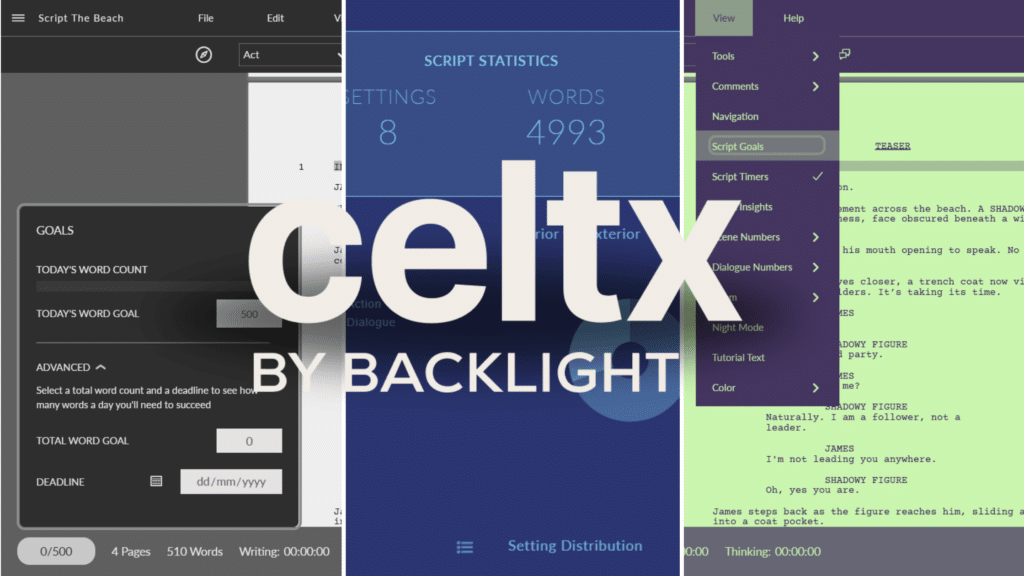
7 Celtx Features You’re Not Using (But Should Be)
Now that you’ve seen how Celtx compares, take a closer look at the tools that can streamline your process and make every stage of production easier.