Film production has a lot of documents with slightly alarming names.
Call sheets, stripboards, one-liners, production reports, sides, shooting schedules. And then, somewhere in the middle of all that paperwork, you find something called a Day Out of Days report, which sounds more like a cryptic prophecy than a scheduling tool. Thankfully, it’s much more practical than it sounds.
A Day Out of Days report, often shortened to DOOD, is one of the key documents used in film and TV scheduling. It helps productions track when each cast member is needed across the shoot, including their first day, last day, work days, travel days, hold days, and days off.
In other words, it answers a very important production question: Who do we need, when do we need them, and what is it going to cost us if we get that wrong?
For filmmakers, especially producers, assistant directors, production managers, and anyone trying to organize a shoot without descending into spreadsheet-related madness, the DOOD is a lifesaver.
And In today’s blog we’ll be diving into the DOOD and how you can use them effectively in your next production!
Let’s not waste any more time…

What Is a Day Out of Days?
A Day Out of Days report is a chart that shows each cast member’s schedule across the full production period.
Instead of looking scene by scene, the DOOD looks performer by performer. It shows which days an actor is working, which days they are travelling, which days they are being held by production, and which days they are not needed.
This matters because actors are not usually scheduled in a neat, simple block. A character might appear in scenes on day one, day four, day nine, and day twenty-two. Without a DOOD, it’s easy to miss the gaps, overlaps, and expensive dead space in the schedule.
A DOOD usually includes each cast member’s name, character name, total number of work days, and a row of production days. Each box in the row is marked with a code to show what that actor is doing on that day.
Common DOOD codes include:
- SW — Start Work
- W — Work
- WF — Work Finish
- SWF — Start Work Finish (when the actor starts and finishes on the same day)
- H — Hold
- T — Travel
- R — Rehearsal
- F — Finish
- O — Day Off
Different productions may use slightly different codes, but the purpose is the same: to create a clear overview of cast availability and usage.
Why Productions Use DOOD Reports
A DOOD report is mainly about clarity, cost, and control.
Cast scheduling can have a huge impact on the budget. Every extra day an actor is held, travelled, housed, paid, or kept available can cost money. If the schedule is inefficient, the production may be paying for days when an actor is not actually needed on set.
The DOOD helps the production team spot those problems early. If an actor works on Monday, then not again until Friday, then the team can ask: do we need to hold them for the gap? Can we move scenes around? Can we release them and bring them back? Would that save money, or create new travel problems?
It also helps with communication. Producers can see cost implications. Assistant directors can track practical scheduling. Casting and talent teams can understand actor commitments. Production managers can plan accommodation, travel, and contracts.
On a small indie shoot, a DOOD might stop you from accidentally booking an actor for six days when they are only needed for three. On a larger production, it can help manage dozens of performers across weeks or months of filming.
The DOOD is not glamorous. No one frames it on the wall. But when it’s missing, everyone feels it.
How to Read a DOOD
At first glance, a DOOD can look like a block of letters and boxes designed to punish tired filmmakers. Once you understand the logic, it becomes much easier.
A basic DOOD is arranged like a grid.
Down the left-hand side, you will usually see the cast list. Across the top, you will see the production days. Each cell shows that actor’s status on that specific day.
For example:
| Cast Member | Day 1 | Day 2 | Day 3 | Day 4 | Day 5 | Total Work Days |
| Maya / Lead | SW | W | W | W | WF | 5 |
| Ben / Friend | SWF | 1 | ||||
| Priya / Boss | SW | H | WF | 2 | ||
| Tom / Driver | SWF | 1 |
In this simple example, Maya works across all five days. Ben only appears on Day 2, so he starts and finishes on the same day. Priya starts work on Day 3, is held on Day 4, then works and finishes on Day 5. Tom works only on Day 4.
It would now be prudent to focus on where you have gaps. Priya’s hold day may be necessary. Perhaps she’s from out of town, the production needs to keep her available, and moving her scenes would cause bigger problems.
But it’s also a place to investigate. Could Priya’s Day 5 scene be moved to Day 4? Could another scene be rescheduled? Could the production avoid paying for a hold day?
That’s the point of reading a DOOD; you’re looking for patterns, gaps, overlaps, and opportunities.
How to Create a DOOD
Creating a DOOD starts with the script.
First, break down the script scene by scene. Identify which characters appear in each scene, where those scenes take place, and whether there are any special scheduling considerations, such as night shoots, stunts, intimacy scenes, child actors, animals, vehicles, or special effects.
Next, build or review the shooting schedule. The DOOD is based on when scenes are scheduled to shoot, so if the shooting schedule changes, the DOOD changes too.
Once you know which scenes are shooting on each day, list every cast member and mark the days they are required. Their first work day becomes SW. Their middle work days become W. Their final work day becomes WF. If they only work one day, that’s usually marked SWF.
Then add non-working but production-related days. Travel days, rehearsal days, fitting days, hold days, and days off should be marked clearly. This is especially important when actors are coming from different locations or when the production is working around complicated availability.
After that, review the report for efficiency. Look for actors who are being held for long gaps, actors travelling in and out multiple times, or actors whose scenes might be grouped more effectively. The goal is not always to make the shortest possible schedule. The goal is to create the smartest schedule for the budget, locations, cast availability, and creative needs.
Finally, keep updating it. If scenes move, weather changes the plan, locations fall through, or actors’ availability shifts, the DOOD needs to reflect those changes.
Check out how you can create your own DOOD in Celtx with our free guide.
Generate production documents faster with Celtx scheduling tools

Common Scheduling Mistakes
Ignoring Hold Days
Hold days can quietly drain a budget. A hold may be necessary, but it should never be accidental. If an actor is not working but still being kept available, the production should know why.
Splitting an Actor’s Work Unnecessarily
If a supporting actor appears in three scenes spread across three separate weeks, that may create extra travel, accommodation, and availability problems. Sometimes scenes can be grouped together without hurting the creative flow of the shoot.
Forgetting Travel and Rehearsal
Actors are not magically teleported to set, though many producers have probably wished otherwise. Travel, rehearsal, fittings, camera tests, and prep days all need to be considered, especially when they affect contracts or availability.
Treating the DOOD as Separate from the Schedule
The DOOD and shooting schedule should speak to each other. When one changes, the other usually needs to change too. If they drift apart, confusion follows quickly.
Using Unclear Codes
A DOOD should make life easier, not create a secret language only one person understands. Use clear codes, define them, and make sure the relevant team members know how to read the report.
Failing to Check Cast Availability Early
A beautiful schedule is useless if your actor is unavailable on the day you need them. Cast availability should be considered before the schedule becomes too locked.
Free Resource: DOOD Checklist
Before finalizing your Day Out of Days report, download our FREE checklist to make sure everyone’s on the same page.

Click here to download our free DOOD Report Checklist
FAQ
No. Large productions may use more detailed DOOD reports, but the basic idea is useful on almost any shoot. Even a short film can benefit from knowing exactly when each actor is needed.
The DOOD is usually created by the assistant director, production manager, line producer, or scheduling team, depending on the size of the production. On smaller shoots, one person may be handling several of these roles.
No. A call sheet tells the cast and crew what is happening on a specific shoot day. A DOOD gives an overview of cast scheduling across the whole production. The call sheet is daily. The DOOD is big-picture.
SWF usually means Start Work Finish. It’s used when an actor starts and finishes their work on the same day. This is common for small roles or characters who only appear in one scene.
A DOOD helps production teams see how many days actors are working, being held, travelling, or otherwise committed. Since cast costs can be affected by these days, the report helps identify potential savings and avoid expensive scheduling mistakes.

Conclusion
A Day Out of Days report may not be the most exciting document in production, but it’s one of the most useful.
It gives filmmakers a clear view of cast scheduling across the entire shoot. It shows who is working, who is waiting, who is travelling, and where the schedule may be costing more than it needs to. More importantly, it helps the team make smarter decisions before those decisions become expensive problems.
For new filmmakers, learning to read a DOOD can feel like learning another production language. But once the logic clicks, the document becomes much less intimidating. It’s simply a map of people, time, and money. And on a film set, those three things matter a lot.
A strong DOOD keeps the production organized, the schedule realistic, and the cast plan visible. It will not solve every production problem, but it can stop a lot of them from sneaking up on you in the first place.
Simplify production scheduling.
Create schedules, call sheets, and reports with Celtx.
Up Next:
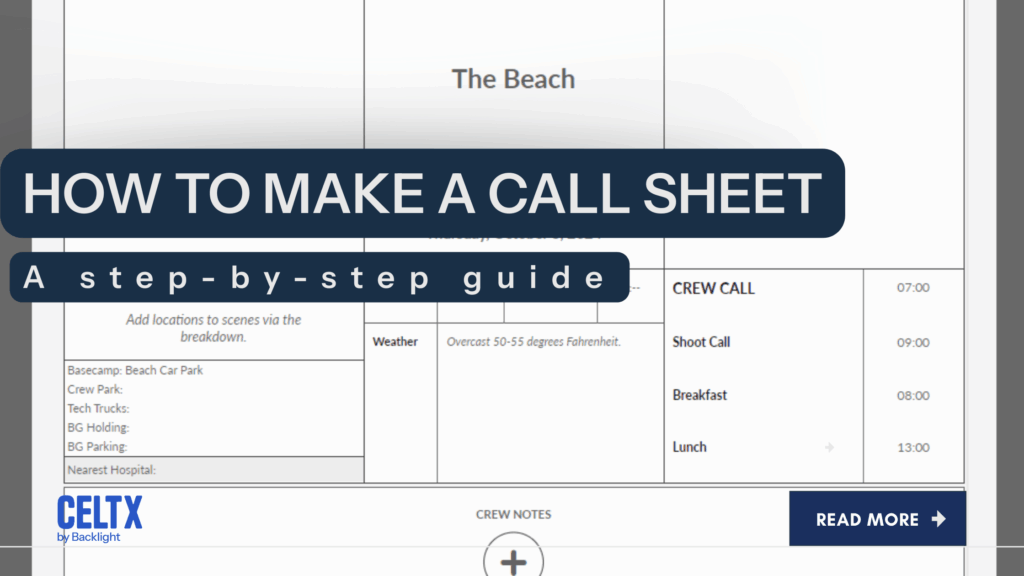
How to Make a Call Sheet: A Step-by-Step Guide
Once you know when your cast is needed, it’s time to communicate the plan. Learn how to create a call sheet with the essential details your cast and crew need before each shooting day.